Healthcare
 Insurance
 Investment



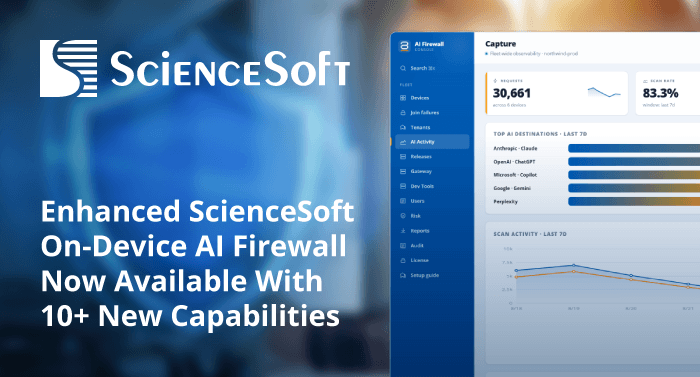
ScienceSoft On-Device AI Firewall Gets More Granular Policy Management and Stronger AI Agent Protection
Published:
In November, ScienceSoft rolled out an upgraded version of its On-Device AI Firewall, introducing more than 10 new capabilities. This release strengthens three areas: clearer, more guided AI use for employees, finer policy control and faster setup for admins, and deeper visibility into shadow AI and agent risks for security teams. Key updates include:
For employees
The firewall now tells employees in plain language why their data was flagged as sensitive, and stores each explanation in the history for later review.
For unapproved or risky AI tools, users get three options, depending on the admin settings:
- Switch tools: the firewall points them to a suitable approved alternative.
- Request an exception: the firewall walks them through the approval process.
- Proceed anyway (can be enabled by the admin): after a warning, the employee can continue by giving a reason. The choice is logged, and they get 8 hours of access to the service.
For admins
Admins can now set a detection level for each type of sensitive data, balancing stricter protection against false alerts:
- Higher sensitivity: catches partial or less obvious matches. Fewer leaks go unnoticed, but expect more false alarms.
- Lower sensitivity: flags only clear, strong matches.
Admins also received a new one-click preset for firewall configuration. It's recommended for organizations that are just starting with AI governance, want protection live quickly, or lack the time to configure every rule. It suits the early rollout stage, when the goal is visibility and safe adoption rather than strict blocking. The preset:
- Monitors typed prompts: detects sensitive information in what employees type and records potential violations.
- Masks uploaded files: automatically hides sensitive information in files before they reach AI services.
Admins can now also better control which MCP servers and agent skills are allowed: the firewall detects installed components, flags unauthorized ones, and lets admins remove them, preventing unapproved integrations from reaching company systems and data.
For security teams
The firewall now reports on traffic to known AI services, with admin-assigned risk ratings for each, and flags unknown traffic that appears to be AI-related.
Additionally, a new summary dashboard brings the key signals together:
- Alerts: policy violations and risky AI activity.
- Device counts: how many devices are using risky AI tools.
- Unknown AI traffic volume: what is being used and how much.
Security teams also get MCP vulnerability scanning. The firewall automatically checks installed MCP servers against databases of known vulnerabilities and shows which servers and devices are affected. This helps teams spot vulnerable integrations, see where they are deployed, and prioritize fixes.
What’s Next
ScienceSoft is continuing to expand the AI Firewall's capabilities, with the following enhancements in development:
- Workspace data retention to control how long AI activity logs and records are stored in each workspace and when they are deleted.
- Device-specific data retention to keep AI activity records from selected devices for as long as needed for audits, investigations, or legal requirements.
- Document type recognition and protection to automatically identify documents such as NDAs, contracts, and RFPs and apply the pre-set security rules to each (allow, log, mask, warn, or block). It’ll also report on which types of documents employees share with AI services, grouped by team and time period, without identifying individuals.
- Role-based admin access to give IT, Security, Super Admins, and Auditors different levels of access. For example, auditors will be able to check security logs and reports to confirm that the AI Firewall is enforcing company policies, without accessing the content of employees' AI conversations.
- SIEM integration to send AI Firewall security alerts, administrator activity, and device status to the company's central security monitoring system for tracking and investigation.
About ScienceSoft On-Device AI Firewall
ScienceSoft On-Device AI Firewall helps companies control shadow AI and prevent sensitive data from leaking to AI services, without banning AI tools. It runs on employees’ devices and can be managed from the company’s own infrastructure. It intercepts traffic to AI services, shows how AI is used across teams, enforces granular AI usage policies, and detects, masks or blocks sensitive information before it reaches AI models: with full masking available for ChatGPT, Claude, Gemini, Copilot and Perplexity, and inspection and blocking for other AI services.
To see how ScienceSoft On-Device AI Firewall works in practice, watch our product demo.
Pricing and detailed feature descriptions are available here.