ScienceSoft Global
 Healthcare
 Insurance
 Investment



HR Intranet Portal
Features, AI Tools, Integration Paths, and Costs
With 21 years in web portal development, ScienceSoft builds HR portals that enterprises trust. Designed to integrate safely with your existing systems of record, the portal becomes a single entry point for employee self-service, manager approvals, HR case management, and targeted communications.
HR Intranet Portal in Brief
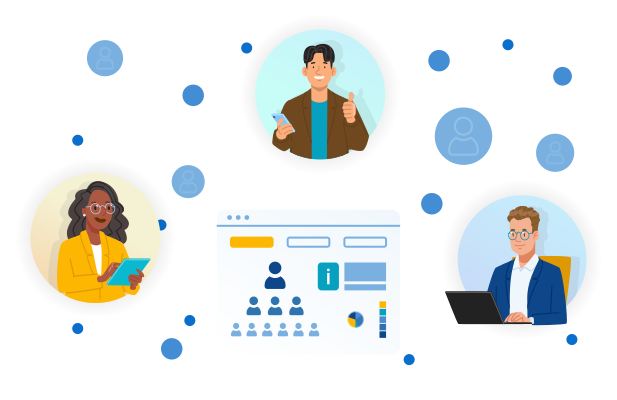
Human resources intranet portal is a secure digital workspace that centralizes HR services and corporate content and connects employees to underlying HR systems via single sign‑on. A customized, highly integrated HR intranet can act as a single entry point for employee self‑service, manager approvals, HR management, and targeted communications without replacing the core systems of record.
ScienceSoft typically delivers HR portals as a unified experience layer over existing HRIS, payroll, benefits, and learning systems. Our specialists can build on your existing stack (Microsoft 365 and Teams, ServiceNow, Workday, SAP, Oracle) to launch the portal fast, automate routine workflows, and meet privacy laws and corporate policy. After the portal MVP is adopted, ScienceSoft’s engineers can scale it with value-adding features such as AI assistants and complex analytics.
A low-code HR intranet portal implementation on your existing platform would typically cost $40,000–$80,000 for a midsize organization. A custom build or heavier integrations would require an investment of $100,000+. Use our free online calculator to get a cost estimate for your case.
HR Intranet Portal Features
Employee workspace

Employee knowledge base
The employee knowledge base provides convenient access to relevant information on policies, benefits, internal programs, and how-to guides. Articles include search, feedback, and acknowledgment options, letting staff quickly find answers without contacting HR directly. Content updates are synchronized with approved HR sources to maintain accuracy.

Employee self-service
The self-service catalog offers grouped, role-aware HR services such as salary letters and vacation requests. Each request opens a prefilled form with routing and status tracking. Employees can monitor request progress, while HR receives complete, standardized submissions ready for review and approval.

Role-based search
The portal’s search engine takes the employee role into account when parsing information. Results show position-specific policies, HR articles, and actionable tasks first. Unanswered queries and no-result searches are captured for HR to add missing content, retitle articles, or create smarter forms.

Onboarding workspace
New hires see dedicated onboarding forms, training courses, and introductions on the portal depending on their role and other configurable groups or parameters. HR monitors onboarding completion and assigns follow-ups when tasks stall.

Employee lifecycle orchestration
Reusable templates for events such as leave, training, or relocation define task owners, dependencies, and due dates. Integrated workflows trigger corresponding requests in HRIS, IT service, and learning systems, while real-time status tracking keeps employees, managers, and HR informed throughout each process.

Manager approvals center
Managers view and approve leave requests, work schedules, training, and other action items in one queue. Employees see decisions instantly in their request history.

Organization chart
Employees can look up colleagues by name, team, and position, with company-wide reporting lines visible to make escalation and collaboration easier. Information is synchronized from systems of record (e.g., HRIS), and sensitive fields follow role-based visibility.

Corporate forums and discussion boards
Forums support company life, team activities, achievements, hobbies, and personal updates. Employees can start threads and reply; moderators keep discussions on topic. Lightweight recognition mechanisms can be added through reactions or profile badges.

Employee surveys
HR and managers can launch surveys and track completions. The portal presents quick pulse questions to users in-page or shows links to longer survey forms. Results appear as response statistics with segmentation (e.g., by team or role) to help HR spot patterns.
HR workspace

HR knowledge base
A centralized HR knowledge base contains internal procedures, company hierarchy, promotion rules, and templates with drafting and approvals, visible only to authorized HR roles.

Content governance and versioning
HR operatives create and publish articles using built-in templates and a simple editor on the portal, or via integration with an existing CMS or DMS. The HR team can assign content owners, set review dates for each article, track versions, and archive older copies after approval.

Search tuning and experiments
HR operatives or portal engineers can pin specific results for important queries, boost the ranking of relevant articles or forms, and A/B test titles and snippets to improve findability over time.

Internal communications
HR and managers can publish news and alerts with attached action items company-wide or to defined audiences (by role, location, or team). Employees receive notices in the portal and via email or communication apps (e.g., Teams, Slack).

Policy distribution and acknowledgments
HR can publish a policy to targeted audiences; employees read and acknowledge it; the portal records who attested, time-stamps the event, and reminds non-responders until completion.

Organizational structure updates
The portal synchronizes with the HRIS to reflect both immediate organization updates and future-dated changes on their effective date. When a reorganization impacts specific teams, pre-approved announcements can be sent to address the changes.

HR case management
All employee requests reach a unified HR queue where cases are categorized, prioritized, and assigned to responsible persons. Standardized templates ensure consistent handling, while SLA timers, due dates, and full audit trails provide visibility and control from intake to resolution.

Document generation with e-signatures
When employees request salary slips or employment documents, the portal merges HRIS/payroll data into a template, routes required approvals, collects electronic signatures, and stores the signed PDF with the status visible. HR stores the final file.

HR analytics
Dashboards show case volumes, time to resolution, SLA compliance, and policy distribution and acknowledgment rates. HR uses these KPIs to spot bottlenecks, prioritize fixes, and track the impact of changes over time.
Utility and admin features

Content localization
Users can select a preferred language and locale, with the portal adjusting date, time, and data formats accordingly. Content and widgets render correctly when switching to right-to-left layouts (e.g., English ↔ Arabic).
Regional calendars are applied automatically based on each employee’s location and contract terms.

Notification preferences
Users can choose in-portal and email notifications, digest frequency, and quiet hours. Preferences apply to policy notices, approvals, and request updates.

Web and mobile responsiveness
The portal can be deployed as a responsive web application available in modern browsers on laptops, tablets, and phones alike. Mobile views and forms are optimized for short, on-the-go tasks without sacrificing accessibility.

Accessibility
The portal conforms to WCAG 2.2 AA with semantic headings and labels, full keyboard navigation with visible focus, compliant color contrast, descriptive alt text, and captions for media.

User analytics
Admin dashboards report portal adoption, search success and failures, and usage by role or location. Portal owners and IT department use these insights to refine information architecture, tune search, and plan the update roadmap.

Access and data protection (RBAC, ABAC, DLP)
Role-based controls tied to employee identities via single sign-on (SSO) define who can view and interact with materials on the portal. Attribute-based controls add timing, scope, and method for sensitive items. Data loss protection mechanisms prevent unauthorized editing or deletion and keep recoverable backups.
How Assistive AI Tools Can Enhance an HR Portal
Semantic policy retrieval and intent understanding
Retrieval-augmented generation (LLMs + vector embeddings) answers employee questions with cited, permission-aware snippets from governed sources. A natural language processing (NLP) engine extracts intent from free text to prefill the correct request. For example, “How many vacation days do I have?” in the portal chatbot returns a PTO balance and opens a prefilled time-off request.
How users access it: Via the employee chatbot and the search results on the portal or in Slack or Teams (if connected).
Content intelligence and drafting
AI can analyze support request logs and failed searches to highlight coverage gaps and duplication in knowledge articles. LLMs can also draft new articles or policy summaries using approved templates with mandatory human review and citation checks. For example, repeated “parental leave examples” queries generate a suggested update with region-specific scenarios and links to forms.
How users access it: An editor copilot on the portal proposes drafts and content promotions to HR; promoted answers flow into the employee chatbot and portal search.
Intelligent triage and routing
NLP classifiers normalize unstructured inputs (chat/email) into intents and entities, then a rules engine applies queue, priority, and SLA policies while similar-case retrieval surfaces precedents and templates. For example, “name change after marriage” becomes a standardized personal-data update with a pre-attached documentation checklist.
How users access it: The HR agent copilot presents suggested replies and next steps inside the case workspace.
Predictive service demand and SLA risk
Time-series and regression models forecast case volumes, search topics, and approval backlogs by location and category, triggering proactive staffing or content updates. For example, onboarding spikes predicted for July prompt earlier equipment-request approver allocation and checklist refreshes.
How users access it: Via manager and HR copilots or email or Teams digests and dashboards.
Integration Map for an HR Intranet Portal

- Human resources information system (HRIS). Integration with HR information systems like Workday, SAP SuccessFactors, Oracle HCM, or UKG exposes employee profiles, jobs, time-off balances, and organization data in the portal. The HRIS stays the system of record to preserve data consistency.
- Payroll and wage protection system. Integration with ADP or regional payrolls provides pay statements and supports wage protection system exports and validations without duplicating payroll logic in the portal.
-
EHS (Environment, Health, and Safety) software. Common in energy, manufacturing, construction, healthcare, and transportation. Integration with EHS platforms ties compliance training and incident reporting to roles with higher safety exposure.
-
Applicant tracking system. Integration with Greenhouse, Lever, Workday Recruiting, or SAP SuccessFactors Recruiting lets hiring managers view requisitions and complete feedback via the portal while candidate data stays in the ATS.
-
Benefits administration. Critical for organizations where benefits enrollment and life events are frequent or strictly regulated. Integration with benefits platforms syncs eligibility and plan data and lets employees launch events from the portal while transactions are processed in the benefits system.
-
Workforce or time and attendance management. Used in healthcare, retail, logistics, manufacturing, hospitality, and other sectors that use shift rotation. Such integrations can surface schedules and time punches for employees on the portal, as well as team views for managers.
-
Document management system (DMS). DMS integration centralizes HR policies, templates, and signed documents with version control, permissions, and audit trails. It enables collaboration on documents, including commenting and versioning. The portal generates files from templates, routes them for approval or e-signature, and stores final PDFs with metadata.
-
E-sign (electronic signature). Integration with tools like DocuSign or Adobe Acrobat Sign enables the portal to send employment letters, policy acknowledgments, and selected forms for signature, as well as to store completed, sealed copies with metadata.
- Communication platforms. Integration with corporate tools like Microsoft Teams or Slack provides widgets or deep links from the portal for quick access directly from the chat. Deeper integration can deliver portal notifications as actionable messages or bot prompts in the channels employees already use.
- Learning management system (LMS). Integration with an LMS shows assigned courses and deadlines to responsible employees and launches learning from the portal while tracking completions back in the LMS.
- IT and enterprise service management. Integration with ServiceNow or Jira Service Management lets cross-domain requests (e.g., equipment for onboarding) route to IT while HR cases remain in the HR workspace.
- Business intelligence. The portal sends HR and user activity data (adoption, search terms, case metrics) to your BI platform (e.g., Power BI, Tableau) for enterprise reporting and embeds selected BI dashboards in the portal for HR’s day-to-day views.
HR Intranet Portal Development Options

Intranet platforms (e.g., SharePoint)
These platforms are a good choice if you need an intranet mainly to handle company news, pages, navigation, document libraries, and enterprise search. They work well when HR needs a content-heavy site with strong document governance. If your organization is already running on the Microsoft ecosystem, SharePoint is a no-brainer since it will be the easiest to integrate with the rest of the corporate software stack.

Employee service platforms (e.g., ServiceNow Employee Center)
These platforms are more case-focused, usually offering a service catalog and forms engine, workflow routing, and SLAs and approvals for ticket resolution. They fit organizations where HR operations are service-heavy and require consistent intake of tasks, clear ownership, and end-to-end resolution tracking.

Custom development
Custom development is warranted when enterprise needs exceed standard platform patterns. You’ll need custom software modules for location-dependent eligibility or documentation logic, composite views that pull real-time data from several systems, strict audience segmentation or branding across subsidiaries, or secure partner/contractor access with fine-grained permissions. Custom components should reuse platform services (SSO, search, logging) and integrate via stable APIs so they can evolve without forking the portal.

Low-code tools
To add custom logic to your employee intranet, you can also use low-code tools (like Power Apps with SharePoint or ServiceNow App Engine with ServiceNow Employee Center). They often allow faster and cheaper development for discrete internal workflows than custom coding. But they won’t be able to accommodate complex conditional logic, unique UI, or large-scale integrations. Low-code tools work best as localized cost-saving options when you need to automate standard approval flows, benefits updates, or manager attestations.

Fix employee adoption by treating search as a product
Many employees avoid actively using portals because navigation feels unintuitive. Instead of trying to perfect the UX of every form and dashboard, make it easy to find and start the most common tasks. Treat search as a product with its own backlog, releases, and KPIs.
- Before launch, pull the top 50 HR questions from email and chat and write canonical, task-focused articles with forms linked (e.g., “Request an employment verification letter,” “Update your tax withholding,” “How to book parental leave”).
- Configure synonyms, acronyms, and pin results for high-value terms that drive tickets or compliance issues (e.g., “leave request,” “salary letter,” “policy violation”); add “Still need help? Open a request” to every article.
- Track search success rate (queries that end in a click on a relevant result or task) and case volume for FAQs. If search success stalls or case volume stays high, use zero-result and abandoned search reports to add missing articles, retitle content, or create smarter forms. Re-check outcomes after each change and repeat.
Cost of HR Intranet Portal Implementation
The HR intranet solution costs around $50,000–$180,000+ for most implementations, with the upper end covering AI assistants and industry-specific integrations.

~$50,000
A SharePoint-based implementation that shares corporate news, provides visibility into hiring and onboarding, automates employee request management and learning management, and facilitates task management for the HR team.

~$80,000-$100,000
A portal with low-code logic enabling multi-step approvals and routing; dynamic forms that adapt to answers, use step-by-step wizards, and enforce strict validation; process automation across several systems (HR platform, ITSM tool); and personalized employee hubs.

$180,000+
A from-scratch intranet with a custom-branded or multi-branded UI and a distinctive, app-like experience; deep personalization; real-time recommendations across roles, regions, and brands; and an AI assistant. Custom integrations with several systems (e.g., ERP, HRIS)
Want a More Precise Figure?
ScienceSoft's team is ready to provide a quote for your specific case.
Our Clients Say



We approached ScienceSoft to build us a powerful Microsoft-based Human Resources Information System and Intranet. <…> Ultimately, they took this project to heights I never expected it to reach by incorporating the Manager edit functionality into the front-end of the employee profile system, streamlining all sides of employee lifecycle change management.


We turned to ScienceSoft’s consultants and developers for advice and assistance in implementing a SharePoint intranet. In a new intranet, we wanted to preserve the features we had in our former intranet based on another platform. ScienceSoft’s team thoroughly analyzed our business needs and succeeded in meeting them all. <…> The solution is integrated with multiple third-party systems, incorporates both out-of-the-box and custom-built functionality, and automates required business flows.


We are thankful to ScienceSoft for a great job on upgrading our intranet. They completed the work with professionalism, attention to detail, and promptness in providing expert advice on all matters that needed to be addressed.

ScienceSoft has been a reliable partner in supporting and maintaining our HR software product. They have fixed hundreds of bugs in the product’s performance since the start of our cooperation back in 2016 and keep modernizing HR on our demand, introducing new features and tweaking existing functionality.








Why Build Your HR Intranet Portal With ScienceSoft
- 21 years of experience in end-to-end web portal delivery: solution consulting, UX and content design, engineering, integration, and ongoing support and evolution.
- Hands-on experience in assistive AI enablement: search copilots, document drafting, data summarization, intelligent automation, voice assistants, and more.
- Cross-stack fluency: long-standing Microsoft Solutions Partner for SharePoint and Microsoft 365 intranets and a registered ServiceNow partner.
- In-house compliance consultants proficient in key standards and regulations: GDPR and US state privacy alignment; WCAG 2.2 AA accessibility; ISO 27001-aligned access controls (RBAC/ABAC/DLP); Wage Protection System (WPS) specifics for GCC when required, and more.
- Strong delivery track record: 21 years in healthcare and BFSI projects, with enterprise architects (15+ years each) designing cost-efficient, integration-ready solutions; in-house PMO and certified project managers (PMP, PMI-ACP, CSM) ensure successful delivery under time and budget constraints.